An AI operational platform that systematises AI utilisation on the ground Kanata AI

Handling enquiries, preparing materials, post-meeting organisation, handover— Supporting the workplace's 'searching, organising, creating' with AI, transforming outcomes and know-how into 'shared assets'.
Start for free
Handling enquiries, preparing materials, post-meeting organisation, handover— Supporting the workplace's 'searching, organising, creating' with AI, transforming outcomes and know-how into 'shared assets'.
TEPCO Solution AdvanceCOSMO Intelligent AssociatesPeersARTnews JAPAN
Kanata AI combines libraries (shared assets) with applications (business functions) to ensure AI adoption isn't confined to individual expertise, but builds towards organisational improvement.
01

What can be done

Support operations with an AI application offering extensive functionality, enabling reuse of prompts and AI within the library.
02

Suitable organisation

For companies wishing to avoid personalising AI utilisation, while operating it across departments and the entire organisation and continuing to improve it
03

Implementation effect

Compression of working hours, reduction of output quality variation, and succession and accumulation of know-how

PROBLEM

Are there any issues within the organisation that require improvement?

AI limited to a few individuals’ know-how
hinders organisational improvement.
Useful prompts are scattered throughout,
making them difficult to reuse.
Minutes and document preparation
"Taking time to finalise and recreate"
Knowledge management is difficult
"You can't find it when you need it"

If internal knowledge remains scattered, the tasks of searching, asking and creating become permanently dependent on individuals. This leads to increased interruptions and rework, with productivity declining with every handover.

USE CASES

Use Case Introduction

AI Chat

one response

Summary

Notice to All Concerned Parties

Prompt

Standard

Prompt

Proposal outlines and emails

Summary

Business Meeting Notes

AI Switch

By industry

AI Switch

By system

AI Chat

Procedure Guide

Prompt

Standard reply

Summary

Decision-making

AI Chat

Summary of Key Issues

Prompt

Reporting Standard

FEATURES

Kanata AI's capabilities supporting a wide range of business operations

Kanata AI is an operational platform designed to embed AI usage within the workplace and build upon continuous improvement. It uses daily-use AI business applications as entry points, while consolidating expertise into libraries that become shared assets within projects.
Department Channels
Deploying AI across multiple channels for specific purposes (e.g., general affairs/sales/IT systems/recruitment)
Prompt Templates
Standardisation of frequently used questions and templates (unification of standard prompts)
Policy Settings
Set the tone of responses and prohibited items in accordance with company rules

App Library Introduction

Prompt Library

Library
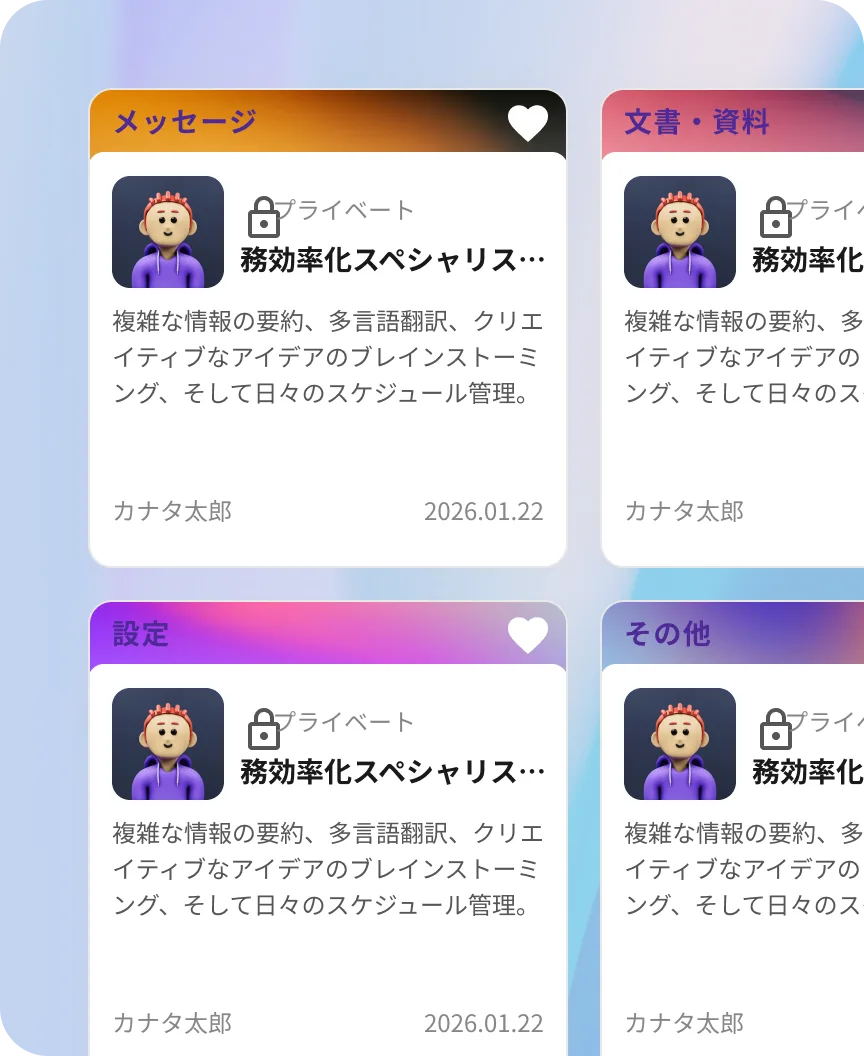
Equipped as standard with high-quality prompts suitable for diverse scenarios, ...
We compile useful prompts categorised by department and job type, distributing them as templates for specific purposes (meetings, messages, documents, ideas, etc.). Furthermore, by implementing operations that allow accumulation and sharing as history (e.g., setting sharing scopes and update rules), improvements become easier to implement, enabling anyone to utilise high-quality AI.
Prompt Library screen

AI Library

Library
Optimised AI tailored to specific purposes can be switched and operated as required.
Centrally manage AI behaviour (role, tone, prohibited actions, reference scope, etc.) and training data handling according to specific purposes. Register multiple AI instances by department or theme, switching between them as required, enabling updates and improvements tailored to operational needs.
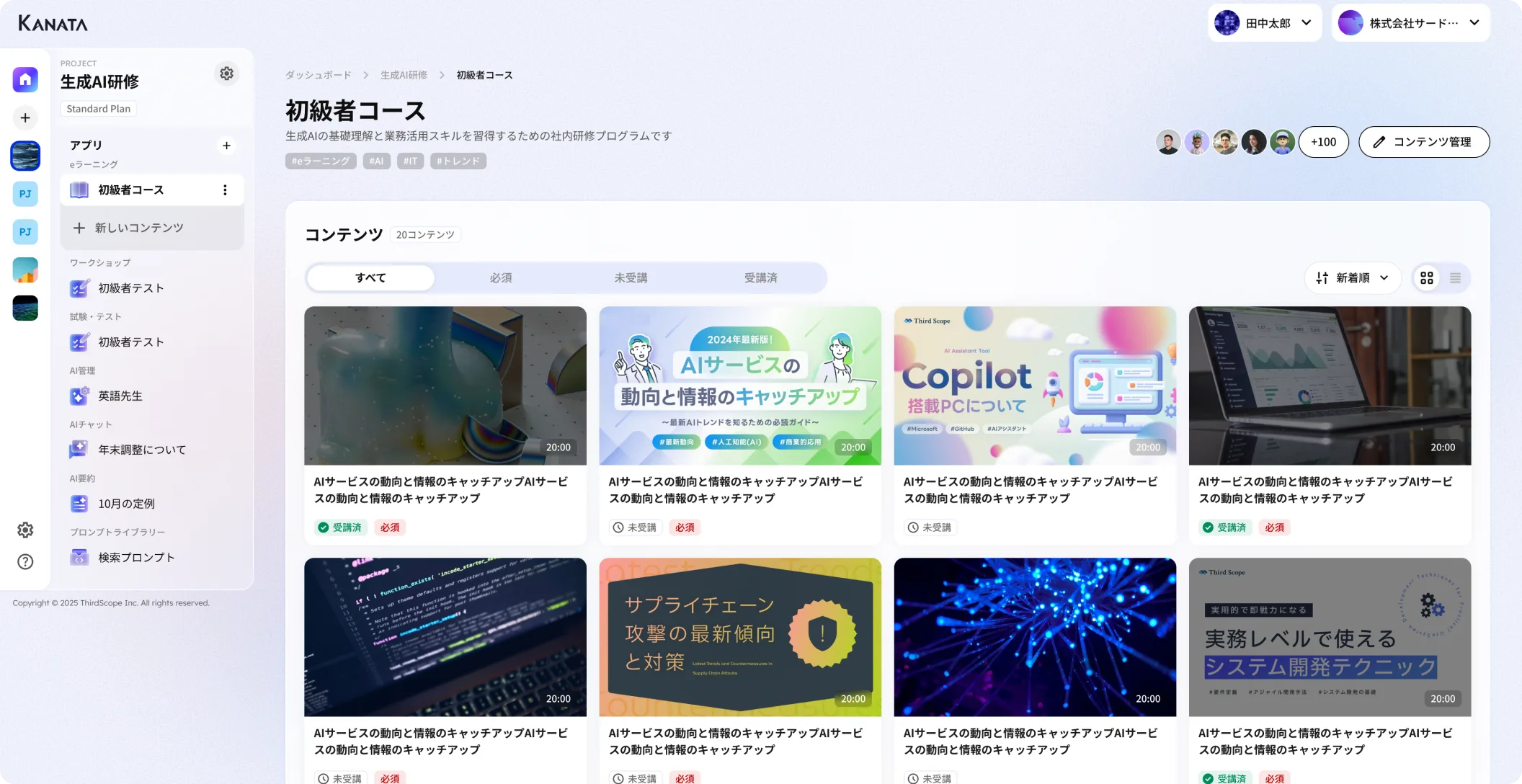
AI Library screen

AI Chat

App
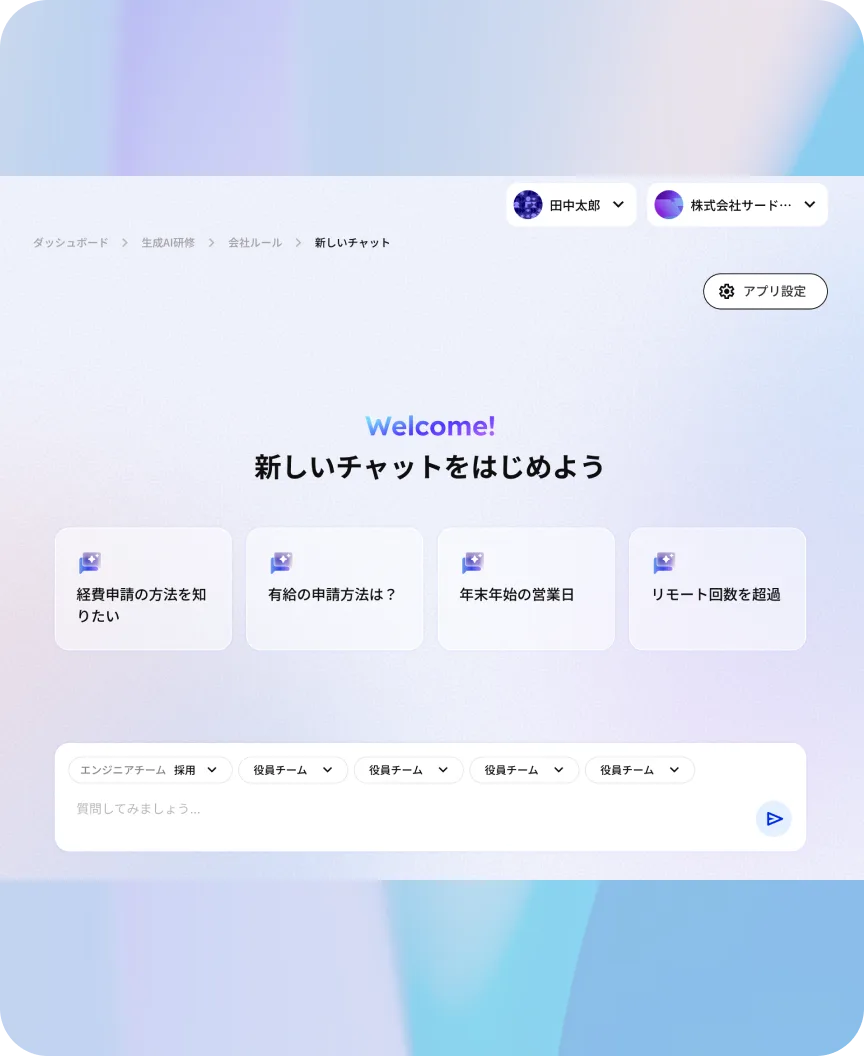
An AI chatbot that advances diverse tasks and offers versatile group usage capabilities.
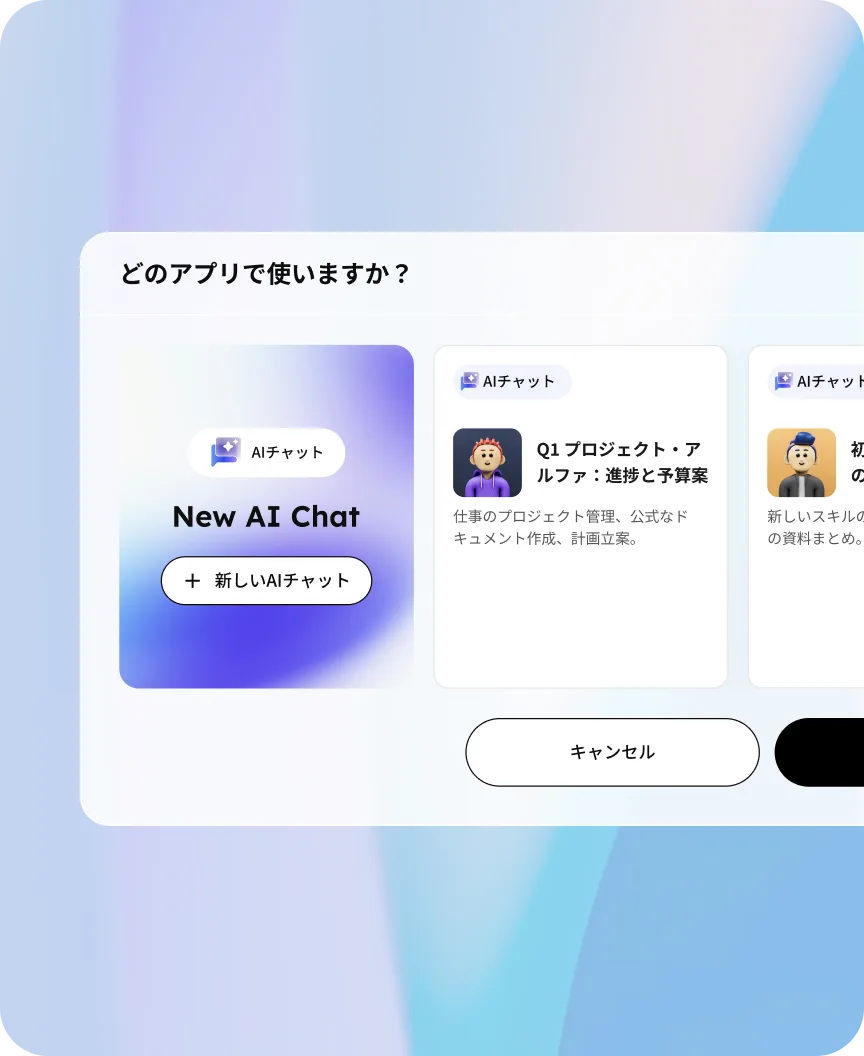
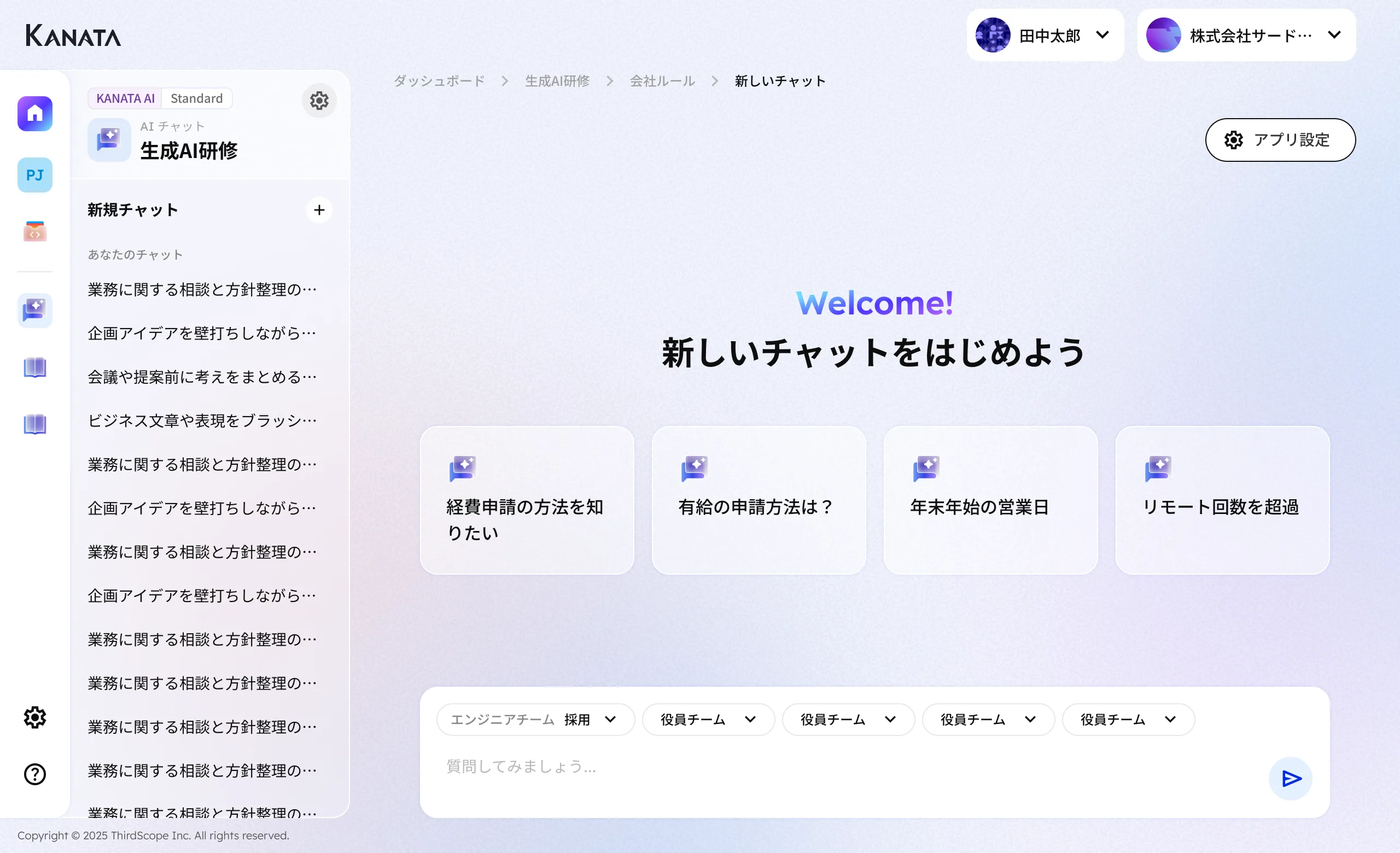
You can create channels (apps) tailored to specific purposes such as general affairs, IT systems, and sales. These support various tasks including consultations, document drafting, and proofreading, while integrating with various libraries. In addition to private chats between individuals and AI, group chats between project members and AI are also available.
AI Chat screen

AI Summary

App
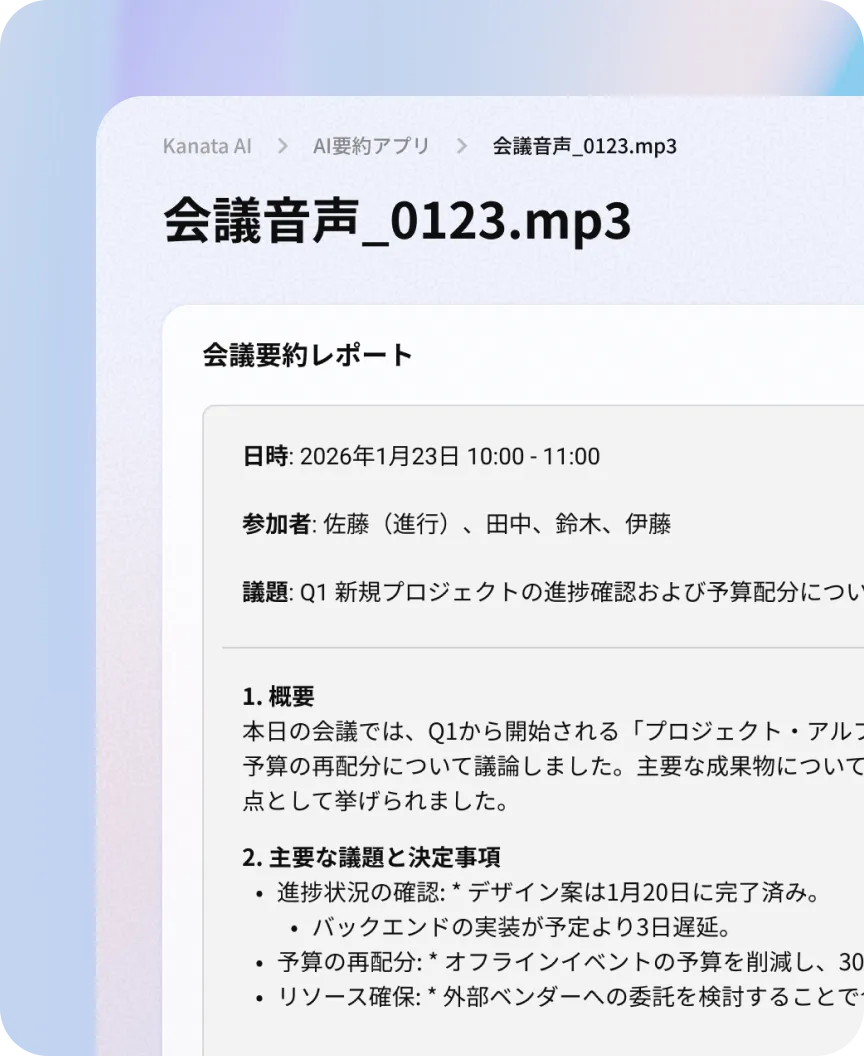
Organise and share meeting minutes, notes, and materials in the specified format.
Meeting notes and materials are automatically organised according to key perspectives essential for sharing, such as decisions made, points of discussion, and next actions. Output formats like bullet points can be easily selected, enabling high-quality summaries in minimal time. This reduces the effort required for information organisation and sharing, thereby accelerating decision-making.
AI Summary screen
Kanata — The Beyond, Made Real

PLAN

Plans

Annual
Monthly
Free
$
0
/account
  • Up to 2 projects
  • Up to 50 users
  • 1,000 tokens
  • Credit card payment
Start with a pilot in one department and take the first step toward prompt standardization.
Standard
$
5
/account
  • Unlimited projects
  • Up to 50 users
  • 100,000 tokens
  • Credit card payment
For companies that want daily use across multiple teams such as sales and back office.
Pro
$
10
/account
  • Unlimited projects
  • Up to 100 users
  • 200,000 tokens
  • Credit card payment
For companies that want full-scale AI use across the whole organization.
Enterprise
ASK
  • Unlimited projects
  • Customizable
  • Invoice payment
For cases that require role design, security requirements, external integrations, and operations.
Free
$
0
/account
  • Up to 2 projects
  • Up to 50 users
  • 1,000 tokens
  • Credit card payment
Start with a pilot in one department and take the first step toward prompt standardization.
Standard
$
6
/account
  • Unlimited projects
  • Up to 50 users
  • 100,000 tokens
  • Credit card payment
For companies that want daily use across multiple teams such as sales and back office.
Pro
$
12
/account
  • Unlimited projects
  • Up to 100 users
  • 200,000 tokens
  • Credit card payment
For companies that want full-scale AI use across the whole organization.
Enterprise
ASK
  • Unlimited projects
  • Customizable
  • Invoice payment
For cases that require role design, security requirements, external integrations, and operations.

FAQ

Frequently Asked Questions

What is the least likely to go wrong when starting?

We recommend starting with either "areas receiving high volumes of enquiries" or "areas producing frequent standardised outputs". Examples include: general affairs FAQs, meeting minutes summaries, and proposal outlines. Establishing a "winning formula" early on will facilitate company-wide adoption.

Can it be operated even if there is no one within the company who is knowledgeable about AI?

Yes. Kanata AI is designed with a no-code approach, enabling teams to share and refine prompts and knowledge. This facilitates operations that are less reliant on individual expertise.

How do you ensure the quality of the answers?

Quality stabilises by organising the reference information (AI/Library) and instructions (Prompt/Library). The key is to establish and maintain a designated repository for the latest information.

What about security and permission management?

It is possible to operate by dividing the scope of reference by department or application. For more stringent permission design or requirements, please consult with Enterprise.

Can it be integrated with external tools such as Teams or Slack?

This design is based on the premise of integration. We will propose the optimal solution according to your operational environment and requirements.

Which plan should I choose?

As a guideline, we recommend:
- Small-scale trials: Free
- Departmental daily use: Standard
- Company-wide adoption and assetisation: Pro
- Complex requirements: Enterprise